
Tasks
Tasks are the atomic units of work in a Fleans workflow. Each task maps to a <bpmn:*Task> element
and runs exactly once per activation. Fleans supports four task variants; Send, Receive, Manual and
Business Rule tasks are not implemented — see Unsupported task types below.
See also: BPMN Support matrix for the full coverage table.
Plain Task
Section titled “Plain Task”A Plain Task (<bpmn:task>) has no executor: the token waits on it until something calls
POST /Execution/complete-activity with the instance id and the task’s ActivityId — the same
external-completion pattern as a service task without a type. Use it
for work done outside the engine that a system reports back over REST.
BPMN:
<bpmn:task id="Task_1" name="Do something" />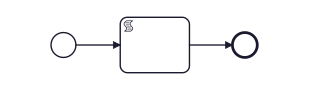
Script Task
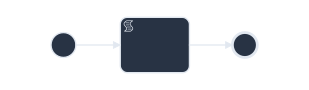
Section titled “Script Task”A Script Task (<bpmn:scriptTask scriptFormat="csharp">) executes a C# expression via
DynamicExpresso. The script is read from the
<bpmn:script> child element (a script inside <extensionElements>, such as <camunda:script>, is
ignored) and evaluated against a _context variable bag that exposes the current workflow variables.
C# (scriptFormat csharp, c# or omitted) is built in. Any other format — such as
javascript — runs on an external worker plugin; see Other script languages.
BPMN:
<bpmn:scriptTask id="Task_1" name="Compute total" scriptFormat="csharp"> <bpmn:script>_context.total = _context.price * _context.qty</bpmn:script></bpmn:scriptTask>

What a script can contain
Section titled “What a script can contain”Other script languages
Section titled “Other script languages”A script in any format other than C# runs outside the engine, on an external-task worker
registered for the task type fleans.script.<format> (the format in lower case; js means
javascript and py means python). A runaway, memory-hungry or malicious script cannot then
hurt the engine, and the worker scales and upgrades on its own.
scriptFormat | Worker |
|---|---|
csharp, c#, omitted | Built in |
javascript, js | Fleans.Plugins.JavaScript from fleans-plugins — see JavaScript script tasks |
| anything else | Any worker you write for fleans.script.<format> |
<bpmn:scriptTask id="Task_1" name="Compute total" scriptFormat="javascript"> <bpmn:script><![CDATA[ const total = _context.items.reduce((sum, i) => sum + i.price * i.qty, 0); _context.total = total; _context.label = `order-${_context.orderId}`; ]]></bpmn:script></bpmn:scriptTask>- The worker receives the script and every visible variable, and sends back only the top-level variables the script changed; those merge into the scope, and the rest keep their type.
${…}is not rewritten in these formats — in JavaScript it is template-literal syntax.- The script is checked by the worker when it runs, not at deploy. A deploy with no worker connected for the format succeeds with a warning; the task waits until a worker connects.
- A script that throws fails the activity with code
500and the script’s message. A worker may also fail it with a BPMN error code, which an error boundary event catches. - Each run is an external-task round trip (tens of milliseconds) rather than an in-process call.
User Task
Section titled “User Task”A User Task (<bpmn:userTask>) suspends the workflow and waits for a human to act. Fleans
exposes a claim → complete (or fail / cancel) lifecycle via REST and the admin UI.
BPMN:
<!-- Requires xmlns:camunda="http://camunda.org/schema/1.0/bpmn" on <bpmn:definitions> --><bpmn:userTask id="Task_1" name="Approve request" camunda:assignee="manager" camunda:candidateGroups="approvers" />

Service Task (Custom Task)
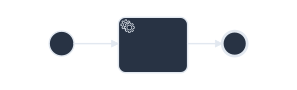
Section titled “Service Task (Custom Task)”A Service Task (<bpmn:serviceTask type="…">) delegates execution to a handler
identified by the type attribute. It runs on a worker connected over gRPC —
your own, or the ready-made plugins’ image; the engine images bundle none —
and its result comes back through <fleans:output> bindings.
BPMN:
<!-- Requires xmlns:fleans="https://fleans.io/schema/bpmn/1.0" on <bpmn:definitions> --><bpmn:serviceTask id="Task_1" name="Call external API"> <bpmn:extensionElements> <fleans:taskDefinition type="rest-call" /> <fleans:ioMapping> <fleans:input source="=apiUrl" target="url" /> <fleans:output source="=__response.body" target="result" /> </fleans:ioMapping> </bpmn:extensionElements></bpmn:serviceTask>
The type value must match the task type a worker registers — rest-call above is the REST Caller
plugin from fleans-plugins. To learn more:
- Custom Tasks — architecture, event flow, parameter mapping, and the ready-made plugins.
- Input/Output Mapping — the
<fleans:ioMapping>expression syntax, shared by every task type. - Hosting workers — run workers next to the engine.
- Writing custom tasks — step-by-step authoring guide.
A <bpmn:serviceTask> with no type attribute and no taskDefinition is not dispatched anywhere:
it waits for POST /Execution/complete-activity, like a plain task — see
Service Tasks.
Input/output mapping
Section titled “Input/output mapping”Every task type accepts <fleans:ioMapping>: inputs compute task-local variables from C#
expressions before the task runs, and outputs pick what it hands back to the process. See
Input/Output Mapping.
Unsupported task types
Section titled “Unsupported task types”Send Task (<bpmn:sendTask>), Receive Task (<bpmn:receiveTask>), Manual Task
(<bpmn:manualTask>) and Business Rule Task (<bpmn:businessRuleTask>) are not implemented.
The converter does not recognise them: the element is skipped and every sequence flow to or from it
is dropped, so the process deploys without an error but with a gap — a token that should reach
the element stops where the dropped flow started. Model the step with a supported task instead (for
example a service task for a send, or a message intermediate catch event for a receive).